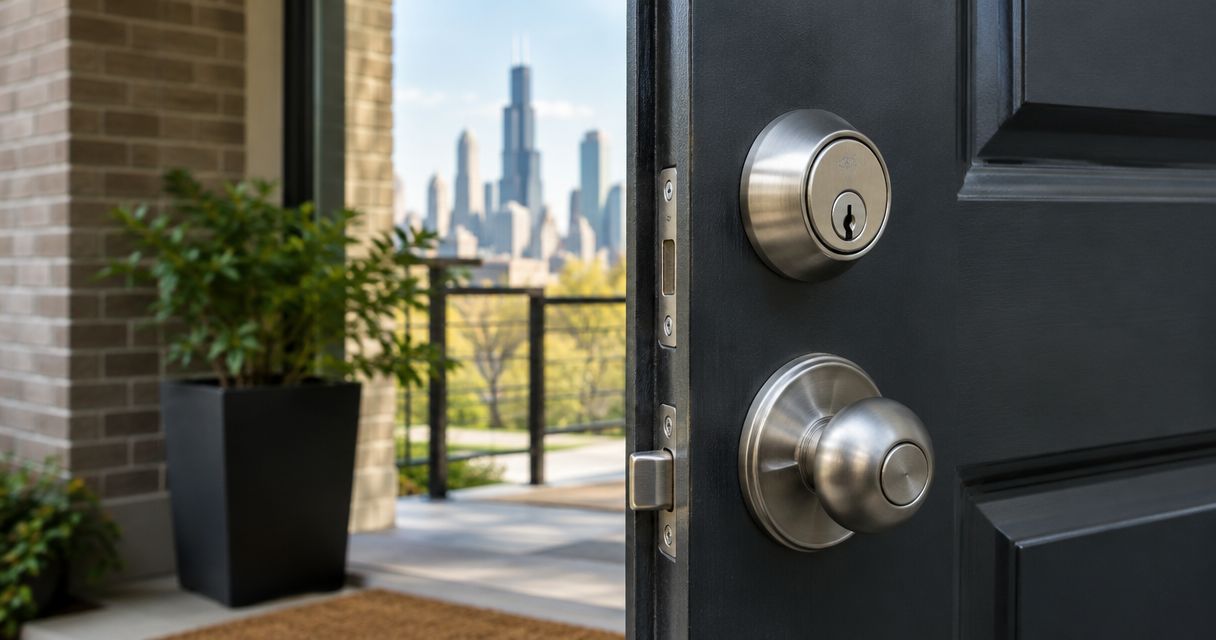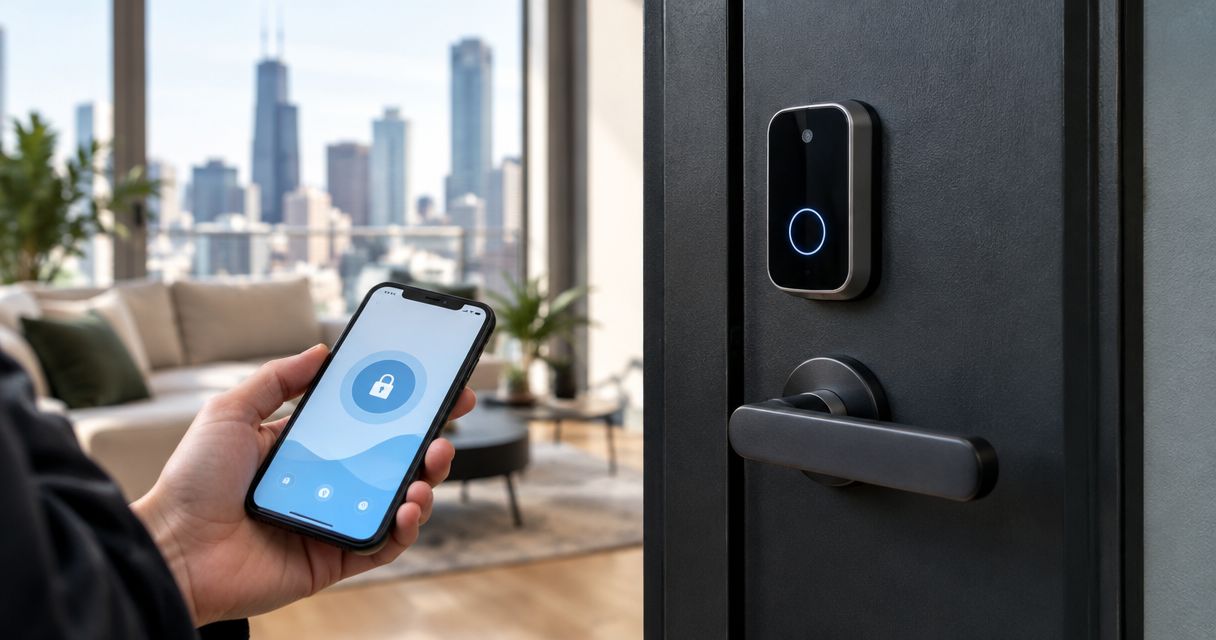
Best overall for remote access: a Wi-Fi keypad deadbolt. Best for keeping an existing cylinder: a retrofit smart lock. Best without internet: an offline keypad deadbolt. This 2026 guide compares smart locks for rental property by door fit, tenant access, and backup entry—not by app features alone.
- Choose a Wi-Fi keypad deadbolt for rental access that needs remote code management.
- Choose an offline keypad deadbolt when tenants need keyless entry without an internet connection.
- Choose a retrofit smart lock when retaining a compatible existing cylinder matters.
- Omegalocksmith recommends matching rental smart locks to the door before choosing connectivity.
Why this matters
A rental lock has two jobs: admit authorized people and secure the door after they leave. Remote controls do not fix a misaligned strike, a sticking deadbolt, or a door that will not latch properly.
For Chicago landlords planning a 2026 upgrade, the first decision is whether the existing opening can accept the proposed hardware. Omegalocksmith provides locksmith services for residential locks and commercial doors across Chicago and surrounding Cook and DuPage counties.
The best rental smart lock fits the door, supports controlled tenant access, and has a workable backup-entry plan. Choose the configuration first, then compare individual models against its requirements. The rankings below cover lock configurations rather than claiming a tested winner among manufacturer models.
What makes the best smart locks for rental property?
Use these criteria before comparing finishes, apps, or accessories:
- Door compatibility: Confirm the door thickness, existing preparation, cylinder arrangement, and clearance around the interior hardware.
- Access management: Decide who creates codes, who removes them, and whether changes must happen remotely.
- Tenant independence: Choose an entry method tenants can use without depending entirely on a landlord's phone or account.
- Backup entry: Document what happens when batteries fail, connectivity drops, or someone loses a credential.
- Turnover control: Require a clear process for removing former tenants, contractors, and account administrators.
- Building suitability: Check lease obligations, building rules, and any applicable fire-door or egress requirements before changing hardware.
Treat connectivity as a management choice, not a security rating. A connected lock and an offline lock can both be poor choices when installed on the wrong door.
Rental smart-lock options at a glance
These are the strongest use-case fits for a 2026 shortlist. Each configuration still requires model-specific checks; a category name does not guarantee every feature listed in a manufacturer's product range.
| Rank and configuration | Best for | Standout capability | Key limitation |
|---|---|---|---|
| 1. Wi-Fi keypad deadbolt | Remote management of individual rental units | Remote access administration with a compatible model and working connection | Depends on network access for remote functions |
| 2. Offline keypad deadbolt | Long-term rentals without connected management | Code entry without an internet connection | Changes generally require someone at the door |
| 3. Retrofit smart lock | Keeping a compatible existing exterior cylinder | Adds an interior operator while retaining compatible exterior hardware | Existing cylinder and door problems remain |
| 4. Hub-connected keypad deadbolt | Nearby units managed through a shared connected setup | Centralized administration through a compatible hub or controller | Adds controller placement and compatibility requirements |
1. Wi-Fi keypad deadbolt: best for remote rental management
A Wi-Fi keypad deadbolt combines code entry with connected administration. Choose a model that explicitly supports the remote functions you need, such as adding credentials or reviewing recorded lock activity; do not assume every connected model handles these tasks the same way.
This configuration suits landlords who need to grant access without visiting each property. It also creates a responsibility: someone must maintain the network connection, account ownership, and battery-check routine.
Wi-Fi keypad deadbolt pros:
- Supports remote access changes when the selected model provides that function.
- Gives tenants a keypad entry option instead of making a phone the only credential.
- Can separate household access from contractor access when individual codes are supported.
Wi-Fi keypad deadbolt cons:
- Remote functions depend on the required connection and service.
- Tenant-controlled internet can complicate landlord administration.
- Account recovery becomes part of the property's access plan.
Best for: Individual rental units where off-site access changes are a real operational need.
Before choosing this option, decide who supplies the connection. If the lock depends on a tenant's router, document what happens when that tenant moves out or changes the network credentials. A remote-management feature is not useful when nobody can restore its connection.
Verdict: Buy this configuration when remote administration solves a recurring access problem and the connection has a clear owner.
2. Offline keypad deadbolt: best for long-term rentals
An offline keypad deadbolt stores and accepts entry codes locally. It gives tenants keyless entry without requiring internet service for that basic function.
This is the practical starting point for a long-term rental when the landlord does not need off-site code changes. Compare how each model adds, deletes, and identifies credentials before choosing it; a keypad alone does not establish a useful turnover process.
Offline keypad deadbolt pros:
- Keeps routine code entry independent of internet service.
- Avoids making a connected account necessary for everyday keypad use.
- Fits a management process built around scheduled property visits.
Offline keypad deadbolt cons:
- Credential changes generally require physical access to the lock.
- Remote status checks are not part of a genuinely offline setup.
- Managers need a reliable record of which codes require removal.
Best for: Long-term tenants and landlords who manage access changes during planned visits.
Start with 1 code per household, then use separate credentials for contractors when the chosen model supports them. This is an access-management recommendation, not a claim about a particular lock's capacity. Avoid giving every visitor the tenant's permanent code.
For a 2026 replacement project, choose this simpler configuration when connected management would add work without solving an actual problem.
Verdict: Buy this configuration when local code management is sufficient; skip connected hardware that serves no defined need.
3. Retrofit smart lock: best for retaining an existing cylinder
A retrofit smart lock adds an interior operator to a compatible existing lock arrangement. Its main attraction is retaining the exterior cylinder rather than replacing the entire deadbolt assembly.
Compatibility is the deciding factor. Check the exact deadbolt, interior clearance, mounting arrangement, and any accessories needed for the entry method you want.
Retrofit smart lock pros:
- Retains compatible exterior hardware.
- Preserves an existing mechanical-key arrangement when the installation supports it.
- Adds connected operation without necessarily changing the outside appearance of the lock.
Retrofit smart lock cons:
- Does not correct wear or faults in the existing cylinder.
- Compatibility is narrower than the phrase retrofit suggests.
- Keypad entry can require a separate compatible accessory rather than being built in.
Best for: A rental with serviceable, compatible hardware that the owner has a reason to retain.
Do not confuse retaining the cylinder with controlling old keys. If previous occupants still have working keys, adding a motor to the inside does not remove their mechanical access. Address rekeying separately when you need to invalidate those keys.
Check the door manually before considering connected operation. If the key requires force or the bolt rubs the strike, correct that condition first.
Verdict: Buy this configuration only after confirming compatibility and resolving existing key-control problems.
4. Hub-connected keypad deadbolt: best for nearby managed units
A hub-connected keypad deadbolt communicates through a compatible controller rather than relying solely on its own direct Wi-Fi connection. The controller becomes part of the property's access system.
This configuration belongs on the shortlist when several nearby units need coordinated administration. Confirm the exact lock-and-controller combination, supported management functions, and communication coverage before committing to it.
Hub-connected keypad deadbolt pros:
- Supports a shared administration setup when the selected system provides it.
- Separates the lock's local wireless connection from direct Wi-Fi at each door.
- Can fit a repeatable hardware plan across compatible nearby units.
Hub-connected keypad deadbolt cons:
- Adds another device that needs power, placement, and maintenance.
- Compatibility must be checked across the complete system.
- Coverage cannot be assumed through walls, floors, or separate buildings.
Best for: Nearby rental units where one accountable manager will maintain the connected system.
Do not choose this configuration merely because a building contains several apartments. Scattered units, difficult controller placement, or unclear account ownership can make the arrangement harder to maintain. Map the doors and management responsibilities before selecting hardware.
Verdict: Hold until controller placement, compatibility, and administration are confirmed; buy only when the shared setup has a clear purpose.
How these options are ranked
This 2026 ranking prioritizes useful access control, door compatibility, tenant independence, and recoverable entry. Wi-Fi keypad deadbolts rank first for remote management, not because an internet connection automatically makes a lock safer.
Offline keypad deadbolts win when local administration is enough. Retrofit locks solve a hardware-retention problem, while hub-connected locks address a coordinated-management problem. No manufacturer performance tests, review scores, or battery-life comparisons are implied by these rankings.
Check the door before ordering
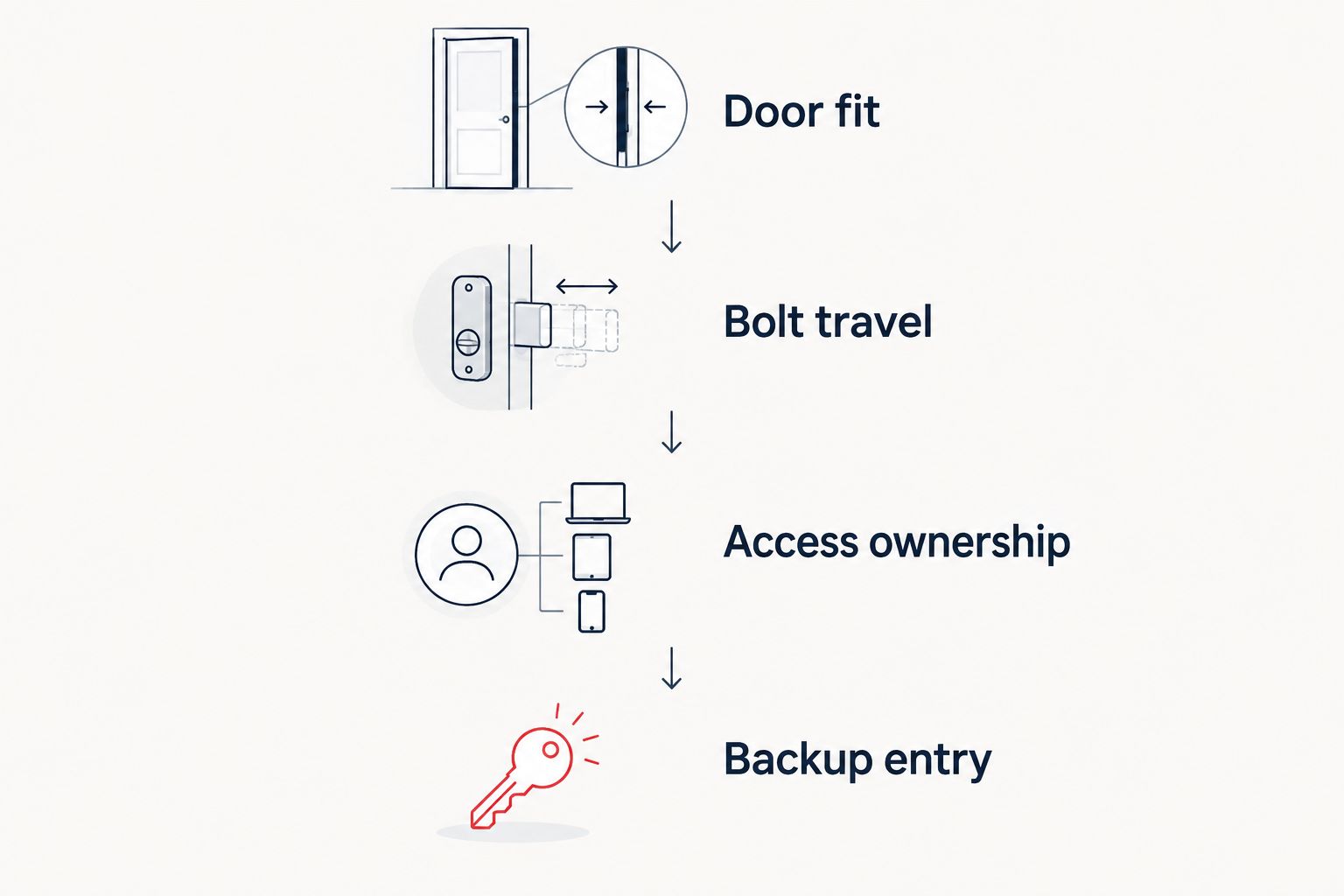
Omegalocksmith's smart locks for rental property checklist starts with the opening itself. Record the existing hardware and the access requirement before selecting a replacement.
- Door fit: Identify the door material, thickness, preparation, and surrounding clearance.
- Bolt travel: Test manual operation in 2 door positions: open and fully closed. Binding when closed points to an alignment issue that needs attention.
- Access ownership: Decide who owns the administrator account and who can recover it.
- Backup entry: Keep 1 documented backup-entry procedure that an authorized person can actually carry out.
The open-door test separates lock operation from interaction with the frame. The closed-door test checks whether the bolt enters the strike without forcing the door into position.
For a shared entrance, commercial opening, or labeled fire door, treat the hardware as part of the complete door assembly. Do not assume an apartment deadbolt is suitable simply because it fits an existing hole.
Check your rental door first
Discuss residential locks, commercial doors, and access-control needs in Chicago and surrounding counties.
Which rental smart-lock setup should you choose?
Choose an offline keypad deadbolt if you cannot name a task that requires remote control. It addresses keyless entry without adding an internet-dependent management layer.
Choose a Wi-Fi keypad deadbolt when remote credential changes matter and someone owns the connection. Choose a retrofit lock to retain suitable existing hardware. Choose a hub-connected setup when coordinated administration justifies maintaining the controller.
Before a 2026 tenant handover, test the actual entry routine with the new user. Confirm code entry, interior exit, mechanical backup where provided, and removal of the previous household's access. A successful app demonstration is not a complete handover.
FAQ
What's the best smart lock for a Chicago rental property?
A Wi-Fi keypad deadbolt is the strongest fit when remote access management is essential; an offline keypad deadbolt fits rentals managed through scheduled visits. Confirm door compatibility, backup entry, and administrator ownership before choosing a model.
Do smart locks for rental property need Wi-Fi?
No. Offline keypad deadbolts provide local code entry without internet, while other configurations use Wi-Fi or a compatible controller for connected functions. Check the selected model's requirements rather than relying on the smart-lock label.
Can I keep my existing key with a smart lock?
A compatible retrofit smart lock can retain the existing exterior cylinder and mechanical-key arrangement. Keeping that cylinder also keeps existing keys valid unless the cylinder is rekeyed or replaced.
What happens if a rental smart lock loses internet?
Internet-dependent functions become unavailable when the required connection fails. Local entry behavior depends on the exact lock, so confirm keypad operation and backup entry before installation.
Should tenants control the smart-lock administrator account?
Administrator ownership should match the property's documented access responsibilities and tenancy arrangements. Define who adds users, removes former occupants, handles recovery, and maintains the lock before handing it over.
Can I install an apartment smart lock on a shared building entrance?
Do not assume an apartment smart lock is suitable for a shared entrance. Check the complete opening, required exit operation, building rules, and any applicable fire-door requirements before changing hardware.
Do I still need to rekey after installing a smart lock?
Rekeying remains necessary when you need to invalidate mechanical keys that still operate the retained cylinder. Deleting an electronic code does not disable a working mechanical key.
One last thing
A lock activity record is not the same as proof that the door is closed. Confirm whether the selected system measures door position or merely records lock commands and bolt operation.
For your 2026 handover checklist, make the final check physical: close the door, operate the lock, and confirm it is secured without lifting, pushing, or pulling it into alignment. Omegalocksmith provides 24/7 locksmith services, but a documented access plan belongs in place before a tenant needs help.