Best overall: a connected keypad lock with scheduled guest PINs. Best without rental Wi-Fi: a lock that supports offline, time-limited codes. Best for simple local management: a standalone electronic keypad. The best keyless entry system for vacation rental access in Chicago in 2026 matches your door, turnover process and backup plan—not just your phone.
- The best keyless entry system for vacation rental access supports separate guest codes and a tested backup entry method.
- Connected keypad locks suit remote hosts; offline code systems suit properties without dependable rental Wi-Fi.
- Omegalocksmith serves Chicago homeowners and businesses with residential locks and commercial door services.
- Check the shared entrance before choosing a smart lock for an individual rental unit.
Why this matters: guests need access, not another app
A guest arriving at a Chicago rental needs a working entrance, clear instructions and someone to contact if entry fails. A phone-controlled lock solves only part of that problem. Door alignment, batteries, shared entrances and expired credentials still need attention.
For 2026, choose the entry workflow before choosing the hardware. Omegalocksmith provides 24/7 locksmith services in Chicago and surrounding Cook and DuPage counties for problems involving residential locks, car keys and commercial doors.
For a remotely managed rental, choose scheduled guest PINs before phone-only access. Guests should not need your personal account to enter.
What makes the best vacation rental keyless entry system?
Use these criteria to evaluate a system before buying it:
- Guest-code control: Prefer a separate code for each reservation, with a defined start and end rather than a permanently shared PIN.
- Door compatibility: Confirm the door preparation, thickness, handing and existing hardware against the manufacturer's installation requirements.
- Failure recovery: Establish how authorized entry works when batteries, connectivity or a guest's phone fail.
- Turnover workflow: Decide who creates, checks and removes credentials. Automation needs a verification step, not blind trust.
- Entrance coverage: Include the building entrance, rental door and any gate guests must pass through.
- Outdoor suitability: Compare the exact model's published operating conditions with the conditions at the door. Do not treat all exterior installations as equivalent.
Your 2026 shortlist should pass every applicable check. A long feature list does not compensate for a deadbolt that binds against its strike.
Vacation rental entry systems at a glance
These are system categories, not interchangeable product specifications. Confirm every feature on the exact model and service you select.
| Rank and system | Best for | Standout capability to require | Key limitation |
|---|---|---|---|
| Connected keypad lock | Remote hosts managing guest turnover | Scheduled PINs and remote credential management | Remote functions depend on the connection architecture |
| Offline time-limited code lock | Properties without dependable rental Wi-Fi | Guest codes generated remotely and validated locally | Code cancellation and clock behavior need verification |
| Standalone electronic keypad | Hosts or managers regularly on site | Local PIN administration without network dependence | Credential changes require an on-site workflow |
| Retrofit smart lock with keypad | Compatible doors where exterior hardware should remain | Interior-side operation with separate keypad entry | Existing cylinder and door problems remain relevant |
| Building access control plus unit lock | Rentals behind a shared secured entrance | Authorized access through both entrance layers | Requires building approval and coordinated administration |
1. Connected keypad lock: best for remote guest turnover
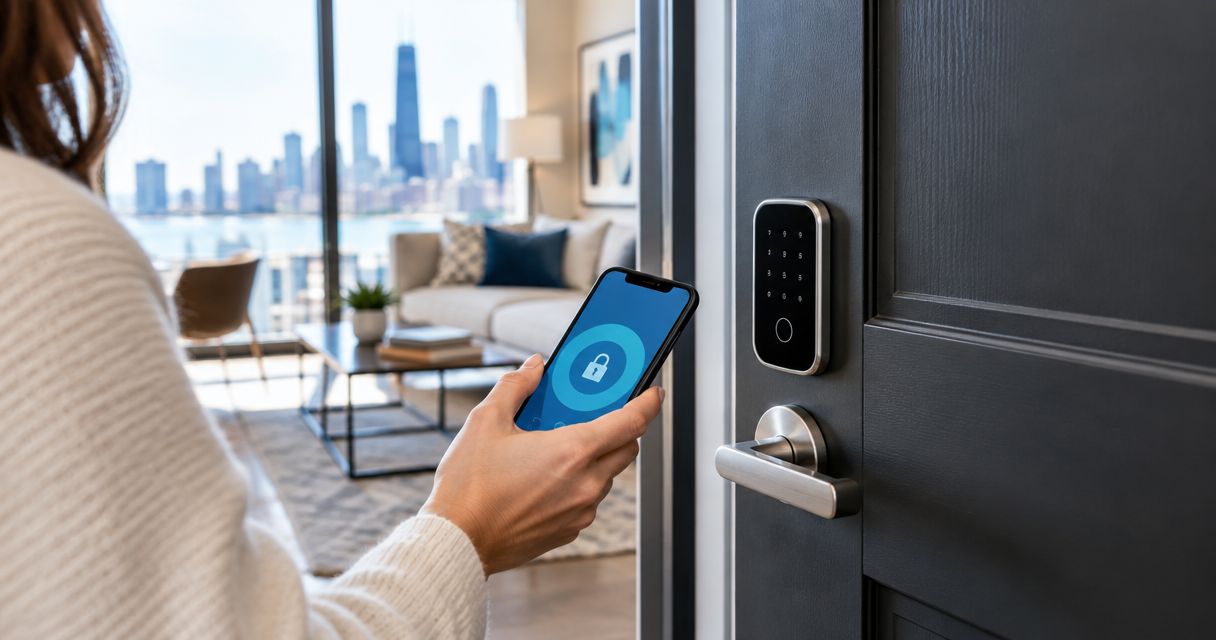
A connected keypad lock combines PIN entry with network-connected management. Depending on the selected model and service, you can create guest credentials remotely and assign access windows. Require those functions explicitly; a connected lock does not automatically include reservation scheduling.
Best for: Hosts who manage arrivals away from the property and need separate access for guests, cleaners and maintenance workers.
Connected keypad lock pros:
- Scheduled PINs can separate one reservation from the next.
- Remote administration reduces the need for routine credential-change visits.
- A keypad offers an alternative to guest smartphone entry.
Connected keypad lock cons:
- Remote commands depend on the required network, bridge or service working.
- Battery maintenance remains a physical task at the property.
- An app status is not a substitute for confirming that the door actually latches.
Before choosing a system, ask what keeps working during an internet outage. Local PIN entry and remote management are different functions; confirm each separately.
Set 1 guest code per reservation as your operating rule, and use separate staff credentials. That gives you a clear turnover process without sharing the guest's PIN with everyone who services the unit.
Verdict: Buy this category for remote turnover when scheduled PINs and outage behavior are confirmed.
2. Offline time-limited code lock: best without dependable Wi-Fi
Some locks accept time-limited codes generated away from the property without requiring the lock itself to maintain an internet connection. This is a specific capability, not a feature of every offline keypad. Confirm how code generation, activation and expiration work before selecting a model.
Best for: Hosts who need advance guest access but cannot depend on rental Wi-Fi for lock administration.
Offline code lock pros:
- Supported guest codes can work without a live connection at the door.
- The guest can use a keypad instead of a phone app.
- The access process does not depend on sharing the property's Wi-Fi password.
Offline code lock cons:
- Canceling an issued code remotely is not guaranteed; verify the method.
- Remote door-status reporting is a separate capability, not an assumption.
- Time-dependent credentials require correct clock operation.
Ask what happens when a reservation is canceled after the guest receives a code. Also establish whether daylight-saving changes or clock corrections require local action on the selected system.
Test a future credential before using the workflow for an arrival. A code-generation screen proves that a credential was created, not that the installed lock will accept it as intended.
Verdict: Buy only after confirming expiration, cancellation and clock-management behavior.
3. Standalone electronic keypad: best for hands-on local management
A standalone electronic keypad stores and manages access locally. You enter a PIN at the door, and an authorized person handles programming according to the lock's instructions. It suits a simple operation when someone can visit between reservations.
Best for: An owner or local manager who can reliably change and test credentials during turnover.
Standalone electronic keypad pros:
- Guest entry does not require a network connection.
- Local administration avoids dependence on a remote-management account.
- The guest-facing process is straightforward: enter the assigned PIN.
Standalone electronic keypad cons:
- Reservation changes create physical work at the property.
- A missed turnover task can leave an old credential active.
- Remote confirmation and activity reporting are not inherent features.
Put credential replacement on the same checklist as cleaning and checking the door. Assign the task to a named person, rather than assuming whoever finishes last will handle it.
Do not treat one permanent guest PIN as a workable turnover policy. Local management is reasonable only when code changes are consistent and verified.
Verdict: Buy for dependable on-site management; skip for unattended remote turnover.
4. Retrofit smart lock with keypad: best for retaining exterior hardware
A retrofit smart lock operates an existing compatible lock from the interior side. Adding a compatible keypad gives guests an entry method that does not depend on using the host's app. Compatibility varies, so evaluate the existing deadbolt and the accessory together.
Best for: Hosts who want to retain exterior hardware and have permission to modify the interior side of a compatible door.
Retrofit smart lock pros:
- The existing exterior appearance can remain unchanged on supported installations.
- A compatible keypad provides guest PIN entry.
- Supported systems can add remote administration to an existing deadbolt.
Retrofit smart lock cons:
- Retaining the cylinder also retains its key-control problems.
- A compatible keypad can be a separate component to maintain.
- Motorized operation does not repair a dragging door or misaligned strike.
Confirm permission before modifying a rental, condominium or shared-building door. Retaining exterior hardware does not automatically make an installation acceptable under building rules.
If an old key still opens the cylinder, installing an interior motor does not revoke that key. Treat electronic access and physical key control as separate decisions.
Verdict: Buy after confirming hardware compatibility, installation permission and control of existing keys.
5. Building access control plus unit lock: best for shared entrances
A unit keypad does not solve access through a locked lobby, vestibule or courtyard gate. Where the rental sits behind a shared entrance, coordinate building-authorized access with the unit's lock. The building's management process determines what credentials and changes are permitted.
Best for: Hosts whose guests must pass through a secured common entrance before reaching the rental.
Building access control plus unit lock pros:
- It addresses the entire arrival route rather than only the rental door.
- Building and unit permissions can remain separately controlled.
- Authorized entrance management avoids informal workarounds such as propping doors open.
Building access control plus unit lock cons:
- Building approval can limit your available options.
- Separate systems create separate credential and support tasks.
- A failure at either entrance can prevent arrival.
For a route with 2 access points, test both as a guest: the common entrance first, then the unit door. Do not assume a building credential expires when the unit PIN expires.
Omegalocksmith's locksmith services cover residential locks and commercial doors. Describe the full entrance route when discussing the problem, including which hardware belongs to the building.
Verdict: Buy only through a building-approved plan that covers every required entrance.
Plan the whole check-in, not just the lock
A lock credential is only one part of self-service arrival. Guests also need the correct entrance, unit identification, activation time and a fallback contact. Keep those instructions together so a working PIN does not become useless at the wrong door.
When assessing automated check-in costs, include the systems and staff work surrounding entry: reservation handling, guest messages, credential administration and exception handling. Keep those requirements separate from the physical lock specification so you can see what each component actually does.
Write the failure response before the first stay. Identify who can attend the property, how that person proves authorization and which approved entry method remains available if electronic access fails.
Do not make the backup plan depend on the same failure as the primary method. A second phone app is not a complete answer to a dead lock battery.
Test the arrival before a guest does
Complete 2 arrival tests: one under normal conditions and one using a manufacturer-approved failure scenario. Do not simulate failures in a way that risks trapping someone or disabling required exit hardware.
- Check the door: With the door closed normally, confirm that the latch and bolt operate without lifting, pulling or forcing the door.
- Create guest access: Set a trial credential using the same process you intend to use for reservations.
- Test expiry: Confirm that access starts and stops as configured, including any documented time-zone settings.
- Test backup entry: Follow the approved recovery procedure and confirm that an authorized person can carry it out.
- Document recovery: Record who responds, what information they need and where the approved instructions are kept.
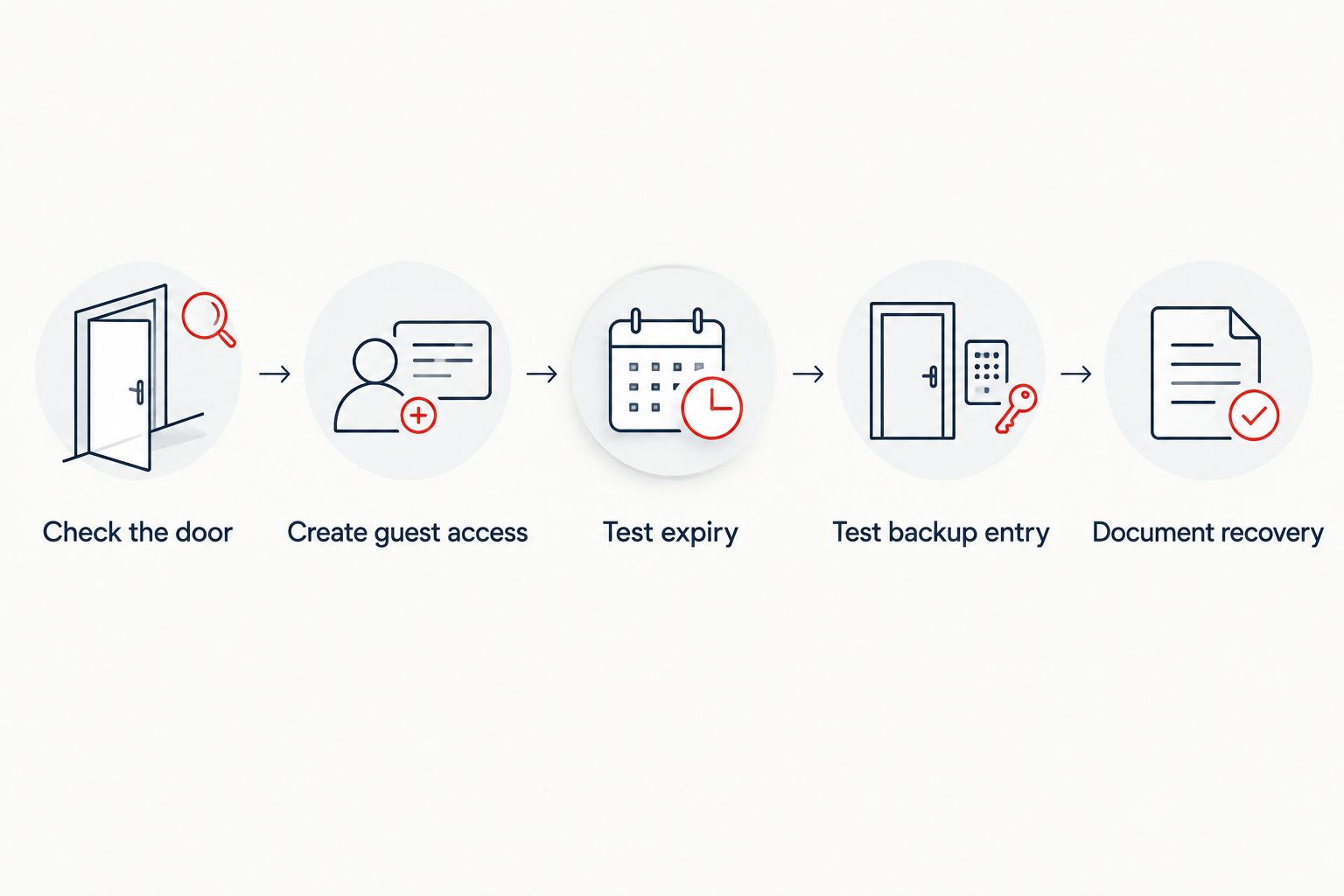
Repeat the relevant checks after changing hardware, network equipment or credential-management software. A successful installation-day test does not verify a later configuration change.
How these systems are ranked
This 2026 ranking prioritizes guest-code control, door compatibility, failure recovery, turnover work and entrance coverage. Connected keypads rank first for remote management; standalone keypads rank lower because they require local administration.
These are use-case recommendations, not claims from hands-on product testing. The exact model must support the capabilities described in its category before it belongs on your shortlist.
Which system should you choose?
Choose a connected keypad with scheduled PINs as the default for a remotely managed vacation rental in 2026. Choose an offline time-limited code system when rental Wi-Fi cannot support your access workflow. Choose a standalone keypad only when local credential management is dependable.
Omegalocksmith is the local service option for Chicago hosts who need help with residential locks or commercial doors. Before discussing electronic features, describe any sticking bolt, loose hardware or shared-entrance restriction.
FAQ
What's the best keyless entry system for vacation rental access?
A connected keypad lock with scheduled guest PINs is the default choice for remotely managed vacation rentals. Confirm door compatibility, local entry during outages and a working backup method before selecting a model.
Can a vacation rental keypad work without Wi-Fi?
Yes, standalone keypads and supported offline-code locks can accept credentials without rental Wi-Fi. Remote administration and code cancellation are separate functions that require model-specific checks.
Should every guest get a different door code?
Yes, assign a separate code to each reservation and verify its access window. Keep cleaner and maintenance credentials separate from guest credentials.
Is a retrofit smart lock better than replacing the deadbolt?
A retrofit smart lock fits situations where compatible exterior hardware should remain. It does not solve existing cylinder key-control problems or repair a misaligned door.
What happens if a smart lock battery dies during a stay?
Entry depends on the exact lock's approved backup procedure. Document that procedure and assign an authorized local responder before guests arrive.
Can I add a smart lock to a Chicago condo rental?
Confirm building rules and obtain the required permission before modifying the door. A unit smart lock also does not replace the need for authorized access through shared entrances.
How do I know whether a lock works with my booking software?
Verify the exact lock, required bridge or hub, software service and integration with the relevant providers. Test credential creation, reservation changes and cancellation rather than relying on a general compatibility label.
One last thing
Stand outside with the door fully closed and follow only the instructions you plan to send your guest. Do not use your owner account, saved phone connection or familiar entrance shortcut. That simple check exposes gaps that an administrator's successful unlock can hide.
Keep that guest-view test in your 2026 turnover procedure. The goal is authorized entry that works without the guest having to understand your lock system.