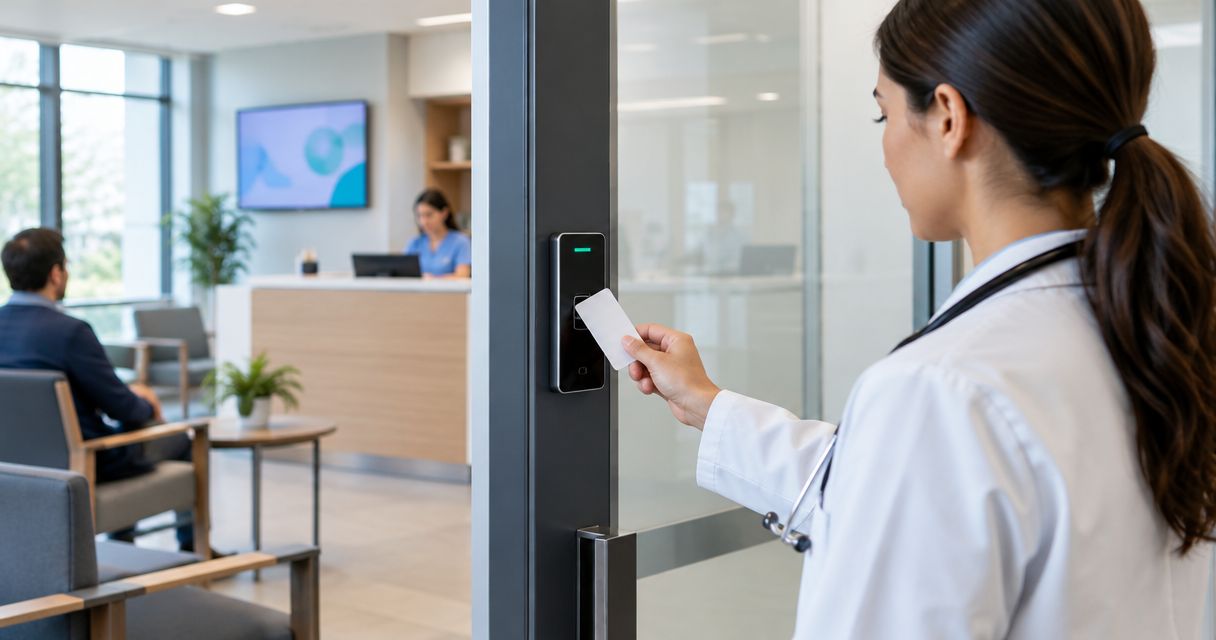
Medical-office access control is the management of entry to clinical and administrative spaces with the aim of protecting patients, staff, records, and supplies. For Chicago medical and dental practices, the right plan separates public circulation from staff-only access without obstructing patient care or emergency exit.
- Access control for medical offices should separate patient circulation, staff entry, and restricted storage.
- Omega Locksmith provides Chicago businesses with commercial-door and access-control services. Confirm the scope for your practice.
- Individual credentials make access removal and door-event review more practical than shared codes.
- Choose door hardware around safe exit, accessibility, and existing conditions—not the reader alone.
Why access control matters for medical and dental offices
A clinic door serves different people throughout the day: patients arriving for appointments, employees starting shifts, cleaners entering after closing, and delivery personnel dropping off supplies. Giving everyone the same entry method defeats the separation you need between public and restricted areas.
For your 2026 plan, treat access as a workflow decision before choosing hardware. Decide who needs entry, through which door, and under whose approval. Then choose equipment that supports those decisions.
Omega Locksmith helps Chicago practices plan commercial door access. Omega Locksmith serves Chicago and nearby Cook County communities. Identify the doors and access requirements before requesting an assessment.
HIPAA also makes physical security relevant to practices handling electronic protected health information. For 2026 planning, the HIPAA Security Rule's facility-access provisions, at 45 CFR §164.310(a), address physical access to electronic information systems and the facilities housing them. A badge reader alone does not establish compliance.
Build your office access plan
Map public and restricted areas
Start with a printed floor plan or a hand-drawn sketch. Mark the route from the entrance to reception, then follow the paths patients take to treatment rooms, restrooms, and checkout. Identify where an unattended visitor could leave that route.
Begin with 3 access zones: public, staff-only, and restricted. This is a planning model, not a required building classification. Your practice might need separate permissions for records storage, network equipment, or particular supplies rather than one broad staff-access group.
Dental offices should include sterilization and laboratory work areas in the review. Medical practices should identify specimen-handling and supply areas where present. Do not assume every treatment-room door needs electronic locking; first establish the operational reason for restricting it.
- Map public areas: Identify reception, waiting, and approved patient routes.
- Mark staff-only areas: Identify employee entrances and workspaces.
- Flag restricted rooms: Record what needs protection and why.
- Trace shared routes: Include building corridors and shared restrooms.
Assign access by role
Create a simple access register before purchasing credentials. A spreadsheet can record the employee, role, permitted doors, schedule, credential identifier, and person approving access. Keep unnecessary patient or personnel information out of that register.
Use 1 credential per person wherever the selected system supports individual credentials. A shared PIN identifies a code, not the person entering it. Individual credentials give you a specific item to disable when someone leaves or reports a loss.
For your 2026 permissions review, distinguish access needed for work from access granted for convenience. A cleaning contractor does not automatically need the same doors or schedule as a practice manager. Staff coverage arrangements should also have an explicit approval process.
- Define roles: Separate clinical, administrative, cleaning, and contractor access.
- Limit schedules: Match permissions to actual working arrangements.
- Name approvers: State who authorizes new access and changes.
- Record exceptions: Document temporary permissions and their end dates.
Inspect doors before choosing electronics
Walk the doors manually first. Check whether each leaf closes fully, the latch engages without pushing or lifting, and the frame shows damage. An electronic reader cannot correct a door that fails to latch.
Record the existing lock, closer, exit hardware, door material, and any building-management restrictions. Fire-rated openings and required exit routes need hardware arrangements appropriate to their use. Do not choose fail-safe or fail-secure operation from a sales description alone; the complete opening and applicable requirements determine the arrangement.
Once you have this inventory, ask Omega Locksmith for a commercial-door assessment. Our locksmith services include commercial doors and access control. Request a door-by-door scope that lists the repairs, electrical work, and system functions included.
- Test closing: Observe the door through a complete closing cycle.
- Check latching: Confirm engagement without extra pressure.
- Identify hardware: Record locks, closers, hinges, and exit devices.
- Confirm responsibilities: Separate tenant, landlord, and contractor work.
Choose credentials around daily use
Write down how employees will enter before choosing between keys, PINs, badges, or mobile credentials. Consider gloves, occupied hands, forgotten phones, shift changes, and the person responsible for administering permissions. The simplest entry method is not always the simplest to manage.
For staff doors that need individual revocation, start your evaluation with individually assigned credentials. Badges and fobs avoid requiring a personal phone, but staff can lose or lend them. Mobile credentials reduce separate items to carry, but introduce phone, account, and device-support considerations.
Keep access-event expectations realistic. A credential event records use of that credential at a reader; it does not prove who walked through the doorway or whether another person followed. Match the system's records to the question you actually need to answer.
- Compare administration: Ask how permissions are added, changed, and removed.
- Check event records: Confirm which events are recorded and exportable.
- Plan replacements: Document the process for lost credentials.
- Assess accessibility: Review operation for staff and patient needs.
Test exit and failure conditions
Test normal entry separately from emergency exit. Controlling entry must not create an unsafe barrier for someone leaving. Have the proposed arrangement reviewed against the opening's applicable fire, building, and accessibility requirements before installation decisions become final.
For your 2026 acceptance checklist, ask what happens when power, internet connectivity, or an individual device fails. Those are different failures. A system that continues local access during an internet interruption does not necessarily behave the same way during a power outage.
Ask the installer to demonstrate the actual configuration and document the results. Include reception staff and the person who closes the office; both need instructions they can use without guessing. Avoid workarounds such as routine door-propping to compensate for inconvenient entry.
- Verify exit: Check the approved method of leaving each controlled space.
- Test interruptions: Review power and connectivity failures separately.
- Confirm recovery: Document how normal operation is restored.
- Record escalation: Identify who handles door and system faults.
Make access removal part of staff changes
Start with a written departure checklist. Recover keys and credentials, remove electronic permissions, review shared codes, and check whether the departing person held administrative access. Returning a badge is not the same as disabling its permissions.
Assign 2 named administrators when staffing allows: a primary owner and a backup. Give each an individual account rather than sharing an administrator login. The backup protects continuity when the main administrator is absent; it should not create unnecessary privileges for other employees.
Make permission changes part of role changes, too. A staff member moving from facilities work to reception should receive the access needed for the new role, not automatically retain every previous permission. Document completion so the next manager can understand the current setup.
- Disable credentials: Remove access through the system's documented process.
- Recover keys: Record returns and investigate missing items.
- Review shared access: Change affected codes and administrative permissions.
- Update records: Keep the access register aligned with current staffing.
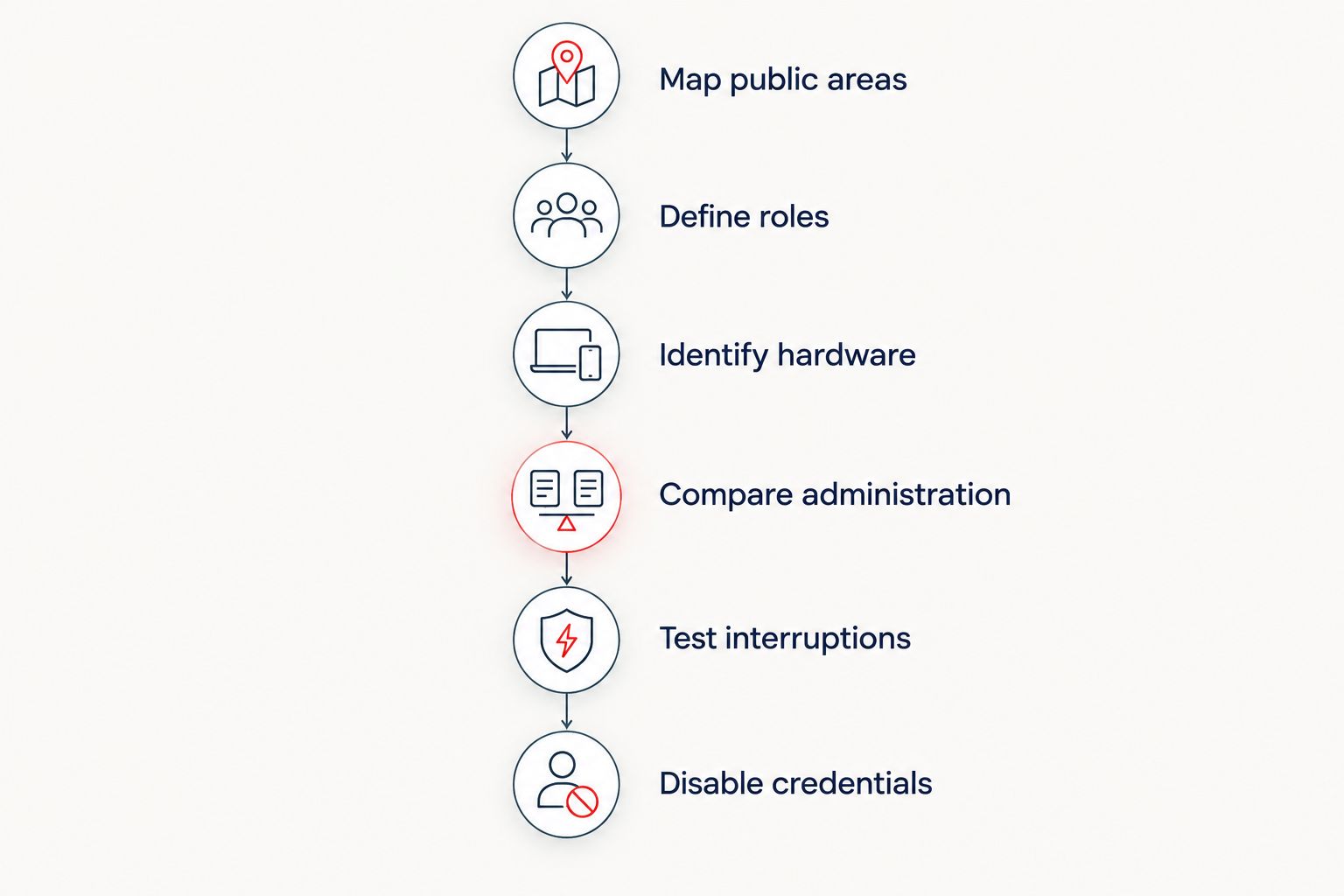
The sequence matters: map the spaces, assign permissions, inspect the doors, choose credentials, test operation, and maintain access records. Buying readers before completing the earlier decisions leaves the equipment driving the policy.
Compare access options for your practice
Choose an option for each opening, not necessarily one option for the entire office. A low-use storage room and a busy staff entrance have different administration needs. The comparison below describes categories, not a claim that every system includes every function.
| Option | Best for | Main advantage | Key limitation |
|---|---|---|---|
| Mechanical keys | Low-change rooms without a door-event requirement | Entry without electronic administration | A missing key cannot be electronically revoked |
| Standalone keypad | Limited-door setups without centralized administration | Entry without carrying a separate credential | Shared PINs do not identify individual users; functions vary |
| Managed badges or fobs | Staff entrances needing individual permissions | Individual revocation through the configured system | Credentials can be lost or lent; administration remains necessary |
| Mobile credentials | Practices that accept phone-based entry | Staff use a supported device instead of a separate badge | Device compatibility and account management need confirmation |
| Mixed mechanical and electronic access | Offices with different requirements across rooms | Matches the entry method to each opening | Separate key and credential records require coordination |
Prioritize individual revocation over a long feature list. For many staff-access decisions, the useful question is whether you can remove one person's entry without disrupting everyone else. If you need that function, require a demonstration before accepting the proposal.
Omega Locksmith provides commercial-door and access-control services. Ask for the proposed equipment, credential compatibility, management responsibilities, and exclusions in writing.
Request a door-by-door access review
Discuss staff entry, restricted rooms, and existing commercial-door hardware.
Common mistakes medical and dental offices make
Giving cleaners the office-wide code
A general code makes contractor access difficult to separate from employee access. Assign an individual credential or a distinct, controlled code where the selected system supports it, and document the permitted doors and schedule.
Locking a patient route without reviewing it
A newly restricted corridor can affect access to restrooms, treatment rooms, or the exit route. Review the full patient journey, including accessibility and staff assistance, before adding a controlled opening.
Treating door events as a clinical audit trail
A reader event does not establish who viewed a patient record, handled medication, or accessed a clinical application. Keep physical-access records and application audit requirements distinct; each answers a different question.
Protecting the reader but ignoring the latch
An accepted credential means little if the door remains ajar. Include closing and latching checks in routine facilities work, and correct the underlying fault rather than relying on staff to pull the door shut.
FAQ
What's the best access control for medical offices?
The best access control for medical offices matches individual permissions to working doors and safe exit arrangements. Evaluate individually managed credentials when you need to revoke one person's access without changing everyone else's entry method.
Does installing access control make a dental office HIPAA compliant?
No. An access-control installation alone does not establish HIPAA compliance. Physical safeguards must fit the practice's risk assessment, policies, information systems, and operational needs.
Are badges better than keypad codes for clinic staff?
Individually assigned badges are better suited to person-specific revocation than a shared keypad code. A keypad supporting individual codes offers a different comparison, so confirm its actual permissions and event-recording functions.
Can an access-controlled door still let people exit during a power failure?
An access-controlled opening must provide the exit operation required for that door and occupancy. Have the complete hardware arrangement reviewed, and test the installed configuration rather than assuming its behavior from the lock type.
Should a cleaning company have the same access as clinical staff?
Give cleaning personnel only the doors and schedules needed for their work. Document exceptions and remove access when the assignment ends.
What should a practice do when an employee loses a fob?
Disable the lost credential through the system's documented process and verify the change. Issue a replacement under the employee's own identity, and investigate any related missing keys or administrative access.
Can Omega Locksmith help a Chicago medical office with access control?
Omega Locksmith offers commercial-door and access-control services in Chicago and nearby Cook County communities. Confirm the proposed door hardware, credential platform, installation scope, and administrative responsibilities for your practice.
One last thing
For your 2026 handover, ask an authorized administrator to demonstrate removal of a test credential, then verify the result at the relevant door. Follow the system's documented update process. A system is not ready for routine use until your practice knows how to take access away, not just grant it.