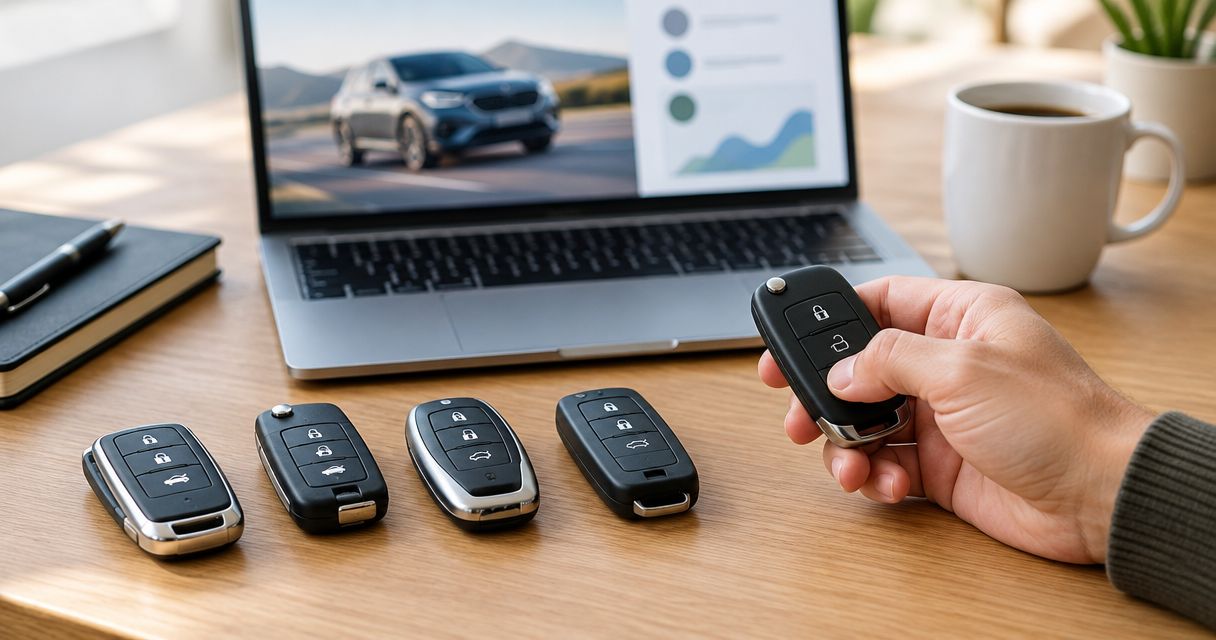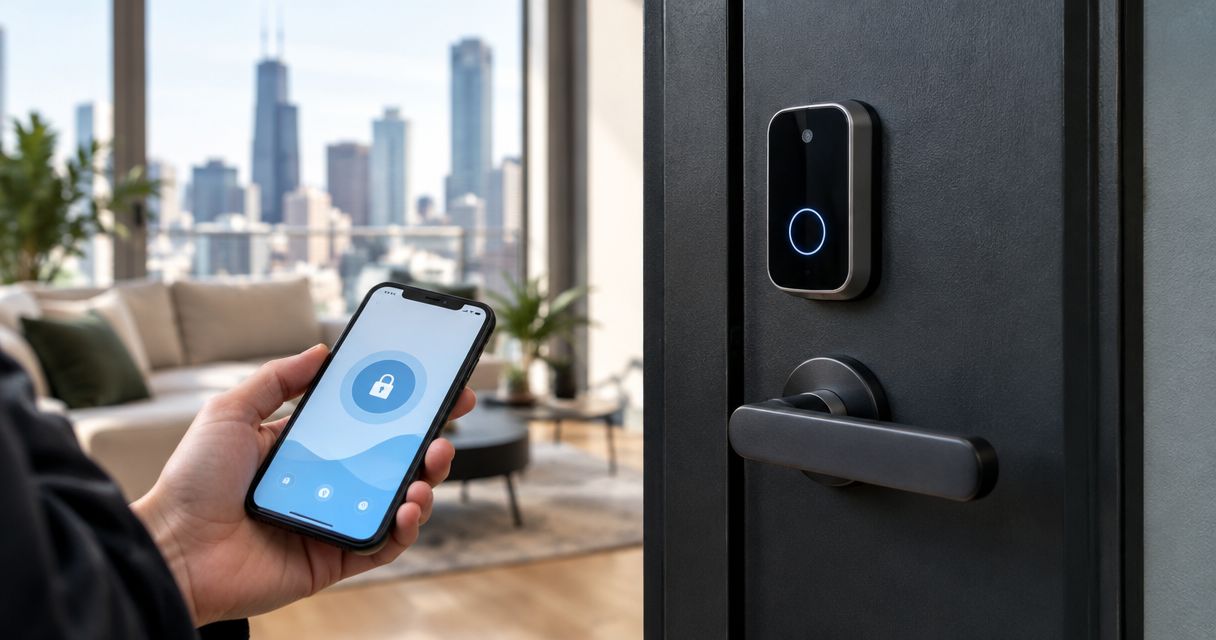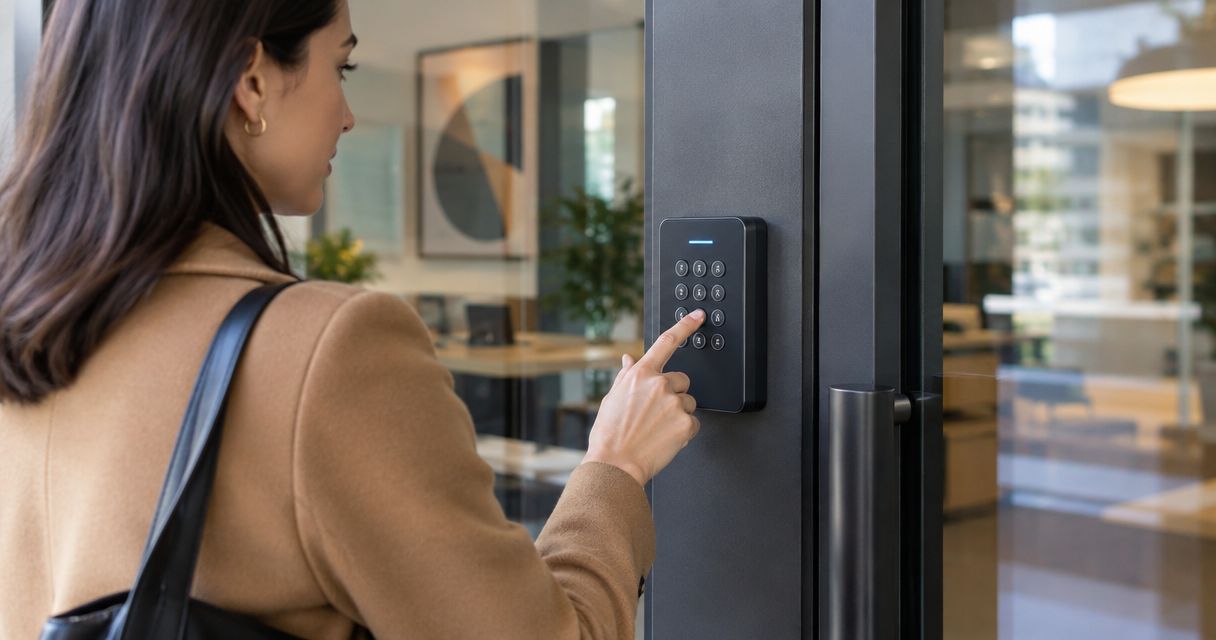
Best overall for a single staff entrance: a standalone electronic keypad lock. Best without electrical wiring: a mechanical pushbutton lock. Best for centralized administration: a network-managed keypad system. The best keypad access system for small business use in Chicago in 2026 depends on your door hardware, employee turnover, and need for entry records—not the keypad alone.
- Choose a standalone electronic keypad access system for small business entrances that need individual codes without centralized management.
- Choose mechanical pushbutton locks when simple code entry matters more than individual access records.
- Omegalocksmith serves Chicago businesses needing commercial door and access control services.
- Check door compatibility, exit operation, and code administration before choosing commercial keyless entry.
Why this matters: the keypad is only part of the door
A keypad accepts a code; the locking hardware determines how the door releases. A commercial entrance also needs to close, latch, and allow appropriate exit operation. Replacing a cylinder with a keypad does not address a dragging door or a misaligned strike.
Omegalocksmith provides commercial door and access control services for businesses in Chicago and surrounding Cook and DuPage counties. For your 2026 project, start with the opening itself: door material, existing lock, exit hardware, exposure, and power arrangements.
Choose the system around the door and the person managing access—not around the keypad's appearance.
What makes the best small-business keypad system?
Use these criteria before comparing configurations:
- Door compatibility: Match the lock or release hardware to the actual opening. Check the frame, latch, closer, and any existing exit device.
- Code administration: Decide whether employees need individual codes and whether someone must change them remotely.
- Entry records: Separate basic code entry from event logging. Confirm exactly which events a proposed system records.
- Failure behavior: Establish what happens during battery depletion, electrical failure, controller failure, and loss of internet connection.
- Exit operation: Confirm that the complete installation preserves required egress. An inside exit route must not depend on knowing an entry code.
- Maintenance ownership: Assign responsibility for batteries, credential removal, door adjustments, and administrator access.
Request written confirmation of these features for the exact hardware proposed. A feature available within a manufacturer's range is not automatically included in every lock, keypad, or controller.
Keypad access systems at a glance
These rankings compare system configurations, not specific product models. Each configuration solves a different operating problem; the exact equipment still needs a door assessment.
| Rank and configuration | Best for | Standout capability | Key limitation |
|---|---|---|---|
| 1. Standalone electronic keypad lock | A single staff entrance | Local electronic code management without a central controller | Remote administration and event records require explicit verification |
| 2. Mechanical pushbutton lock | Simple entry without electrical wiring | Mechanical code operation | Individual accountability is limited when employees share a code |
| 3. Keypad, controller, and electric strike | A compatible door needing a separate release system | Separates the keypad from the door-release hardware | Requires coordinated hardware, wiring, and power design |
| 4. Network-managed keypad system | Multiple doors or frequent personnel changes | Centralized credential administration | Introduces network, account, and support dependencies |
| 5. Keypad-compatible exit-device trim | An entrance with compatible exit hardware | Exterior code entry paired with an exit-device arrangement | Compatibility with the existing device must be confirmed |
1. Standalone electronic keypad: best for a single staff entrance
A standalone electronic keypad lock manages entry at the door rather than through a central access controller. Depending on the model, programming happens at the lock or through a supported local interface. Check the exact programming method before selecting hardware.
This is the default starting point for a small office, shop, or staff-only entrance where someone can administer the lock in person. Choose a model that supports separate employee codes if removing one person's access matters to your operation.
Standalone electronic keypad pros:
- Avoids installing a central controller solely for a single opening.
- Supports individual credential management when the selected model includes it.
- Keeps routine administration focused on the entrance itself.
Standalone electronic keypad cons:
- Local programming becomes inconvenient when the administrator rarely visits.
- Battery maintenance, entry records, and remote features vary by model.
Best for: A business with a single entrance and an on-site person responsible for access.
For a 2026 purchase, ask the installer to demonstrate deleting one employee's code without changing everyone else's. Also establish how authorized staff enter if the lock's normal power source fails.
Verdict: Buy for a single-door setup when local administration meets your needs.
2. Mechanical pushbutton lock: best without electrical wiring
A mechanical pushbutton lock uses a mechanical combination mechanism rather than an electronic credential reader. It does not need electrical power for code entry. That makes it a distinct option when you want basic access without batteries or a controller.
The trade-off is administration. A shared combination does not identify which employee entered, and removing one person's knowledge of that combination requires changing it for everyone who uses it.
Mechanical pushbutton lock pros:
- Eliminates batteries from the code-entry mechanism.
- Operates without an internet connection or access-control server.
- Provides a direct solution when shared-code entry is acceptable.
Mechanical pushbutton lock cons:
- A shared code cannot provide individual employee accountability.
- Combination changes require a process for informing authorized users.
Best for: A stable group using an opening where individual access records are unnecessary.
Do not mistake mechanical simplicity for universal door compatibility. Check handing, preparation, exterior exposure, and the relationship between the lock and any existing exit hardware.
Verdict: Buy for simple shared-code access; skip when individual records are required.
3. Keypad and electric strike: best for a separate door-release system
In this configuration, the keypad sends an access request to a controller, and the electric strike releases compatible latch hardware. The keypad, controller, power supply, and strike work as a system. Selecting the strike alone leaves critical decisions unresolved.
This arrangement deserves consideration when you want the credential reader separate from the lock body. Door alignment matters: an electric strike does not correct a door that binds, fails to close, or leaves the latch under pressure.
Keypad and electric strike pros:
- Separates credential entry from the hardware releasing the door.
- Allows the controller to determine credential and scheduling functions.
- Can work with existing latch hardware when compatibility is confirmed.
Keypad and electric strike cons:
- Requires coordinated wiring, power, controller, and frame preparation.
- Incorrect alignment or incompatible hardware can prevent dependable operation.
Best for: A compatible commercial opening needing a separately controlled release.
Specify the power-loss behavior in writing. Fail-secure and fail-safe describe different responses to loss of power; neither term alone establishes that the complete opening meets its requirements.
Verdict: Buy after a door assessment confirms the complete hardware arrangement.
4. Network-managed keypad: best for centralized administration
A network-managed keypad system lets an authorized administrator manage supported access functions through connected software. Depending on the proposed equipment, those functions can include credentials, schedules, and event records. Confirm each function rather than assuming connectivity includes it.
This configuration becomes useful when personnel changes or multiple entrances make door-by-door programming burdensome. For 2026 planning, document who owns the administrator account and who can restore access if that person leaves.
Network-managed keypad system pros:
- Centralizes supported credential changes.
- Supports coordinated administration across compatible connected doors.
- Provides event visibility when logging is included and configured.
Network-managed keypad system cons:
- Adds account security, software support, and network responsibilities.
- Offline operation and record retention depend on the selected system.
Best for: A business managing multiple entrances or frequent employee changes.
Ask what remains operational during an internet outage. Local credential decisions, remote administration, and synchronization are separate functions; have the installer explain each one for the proposed system.
Verdict: Buy when centralized administration solves a real staffing or multi-door problem.
5. Keypad exit-device trim: best for compatible exit hardware
Keypad-compatible exterior trim controls entry through a door fitted with an appropriate exit device. The outside access arrangement and inside exit hardware must be evaluated together. Do not treat the exterior keypad as a substitute for reviewing the complete opening.
This is a compatibility-led choice, not a general upgrade for every storefront. Start by identifying the existing exit device and determining whether supported keypad trim exists for that exact arrangement.
Keypad exit-device trim pros:
- Addresses exterior access on an exit-device-equipped opening.
- Keeps entry control connected to the appropriate hardware arrangement.
- Avoids choosing an unrelated lock before checking existing equipment.
Keypad exit-device trim cons:
- Compatibility is specific to the device and door preparation.
- Damaged or unsuitable existing hardware still needs separate attention.
Best for: A business entrance already fitted with compatible exit hardware.
Ask for a demonstration of outside entry, inside exit, and closing and latching. If the door is fire-rated, the proposed changes also need review against the opening's listing and applicable requirements.
Verdict: Buy only after the existing exit device and proposed trim are matched.
Before installation: settle these decisions
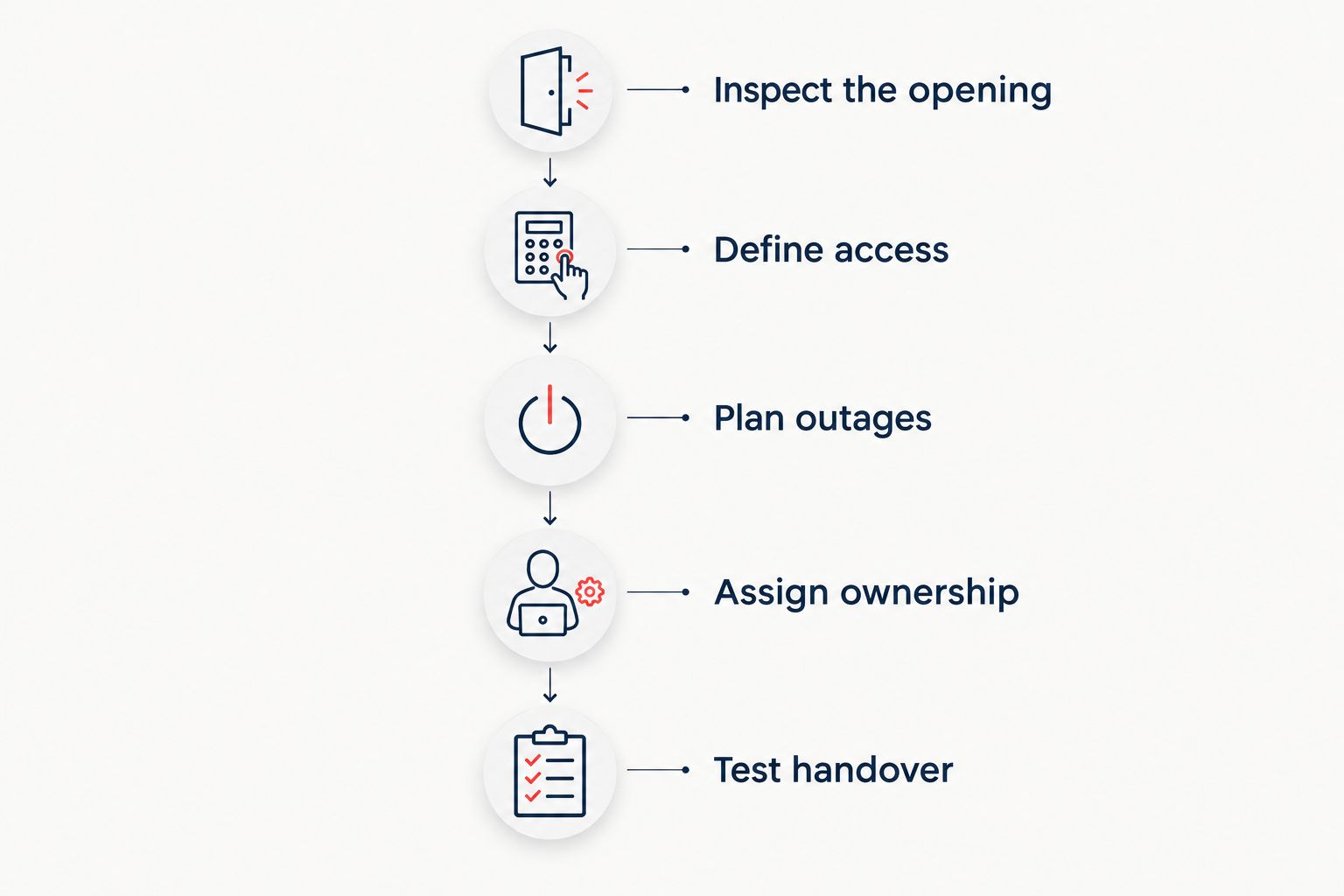
Use this sequence to keep your 2026 installation focused on the actual access problem.
Inspect the opening
Check whether the door closes and latches without lifting, pushing, or pulling it into position. Identify existing exit hardware and any fire-rating labels. Have defects assessed before adding electronic control.
Define access
Write down who needs entry and when. As an operating rule, assign 1 unique code per employee whenever your system supports individual credentials; do not use a shared staff code while expecting employee-level accountability.
Plan outages
Document entry and exit behavior during loss of power and network service. Confirm an authorized recovery method without publishing it to everyone who uses the entrance.
Assign ownership
Name 2 authorized administrators as a continuity measure, with separate credentials where supported. Record who removes departing employees, checks batteries, and contacts the service provider.
Test handover
Require 3 acceptance checks: authorized entry works, revoked access fails, and inside exit operates correctly. Also confirm that the door closes and latches after use; a successful keypad beep is not a complete door test.
How we ranked these configurations
The ranking prioritizes door compatibility, code administration, entry records, failure behavior, exit operation, and maintenance ownership. A standalone electronic keypad leads for a single locally managed entrance because it avoids specifying centralized equipment before that need exists.
These are use-case recommendations, not product test results. Omegalocksmith's keypad access system recommendations should begin with the commercial opening and your operating requirements, then move to equipment selection.
Which keypad access system should you choose?
Start with a standalone electronic keypad for a single staff entrance. Choose mechanical pushbutton access when you do not need individual records, network management when administration spans doors or locations, and compatible exit-device trim when existing hardware dictates the solution.
Omegalocksmith is a fit for Chicago businesses seeking commercial door and access control service. Use the contact page to describe the entrance, existing hardware, and access problem before requesting equipment recommendations.
FAQ
What's the best keypad access system for a small business?
A standalone electronic keypad is the default choice for a single entrance managed on site. Choose a different configuration when you need centralized administration, mechanical operation, or compatibility with existing exit hardware.
Is a mechanical keypad better than an electronic keypad?
A mechanical keypad is better when you want code entry without electrical power. An electronic system is the better direction when individual credentials, schedules, or records are required, provided the selected model supports them.
Can I keep my existing commercial door lock?
Keeping existing hardware depends on its compatibility and condition. A keypad-and-strike arrangement or compatible exterior trim needs assessment of the latch, frame, exit hardware, and door preparation.
Will a keypad system work if the internet goes down?
Offline operation depends on the system design. Require written confirmation of local entry behavior, remote administration limits, and what happens to event records during an outage.
Should every employee have a different door code?
Assign each employee a separate code when the system supports individual credentials. This lets you revoke one person's access without changing a shared combination for everyone.
Does an access log prove who entered the building?
An access log records the event defined by the system, not necessarily the identity of the person passing through. Shared codes and people following an authorized entrant limit what the record establishes.
Who can help with commercial keypad access in Chicago?
Omegalocksmith provides commercial door and access control services in Chicago and surrounding Cook and DuPage counties. Describe your existing door and administration needs before selecting a keypad configuration.
One last thing
Add a door-closing check to your 2026 access plan. A correctly accepted code proves little if the door remains ajar afterward; demonstrate the complete cycle of entry, closing, and latching before you accept the job.